Docker for Devops Engineer
Docker Volume
A Docker volume is a way to persist data in Docker containers beyond the lifecycle of a single container.
When you run a container, it runs in isolation and any data created and modified within the container is typically lost when the container is stopped or removed.
Docker volumes provide a mechanism for storing and sharing data between containers, as well as between containers and host systems.
Docker Networks
Docker allows you to create a virtual space called networks, where you can connect multiple containers (small packages that hold all the necessary files that hold all the necessary files for a specific application to run). This way, the containers can communicate with each other, and also with the host machine(the computer on which Docker is installed).
When we create a container, it has its own storage space that is only accessible by that specific container. If we want to share that storage space with other containers, we can't do that.
Task-1
Create a multi-container docker-compose file which will bring UP and bring DOWN containers in a single shot ( Example - Create application and database container )
So, here we use the
docker-compose upcommand with the-dflag to start a multi-container application in detached mode.
Use the
docker-compose scalecommand to increase or decrease the number of replicas for a specific service. You can also addreplicasin deployment file for auto-scaling.
Use the
docker-compose pscommand to view the status of all containers, anddocker-compose logsto view the logs of a specific service.
Use the
docker-compose downcommand to stop and remove all containers, networks, and volumes associated with the application
Task-2
Learn how to use Docker Volumes and Named Volumes to share files and directories between multiple containers.
Create a docker volume:- You can create a Docker volume using 'docker volume create' command.

Mount the volume in a container:- When you run a container, you can mount the volume by specifying it with the '-v' or '--volume'.

Use the Volume:- Any data that is written to the /app/data within the container will be stored inside 'mydata' volume on the host. This data will persist even if the container is stopped or removed.
Sharing volumes:- You can use the same volume among multiple containers by specifying the same volume name when starting the container. They will all have access to same data.
Remove Volumes:- To remove a Docker volume, use 'docker volume rm' command.

Create two or more containers that read and write data to the same volume using the
docker run --mountcommand.To create two or more containers that read and write data to the same volume using the
docker run --mountcommand, you can follow these steps:Create a docker volume

Run containers with Shared volume
In this example:--namespecifies the name for each container (container1andcontainer2).--mountis used to mount themydatavolume into the/app/datadirectory inside each container.mysqlis the Docker image you want to run.


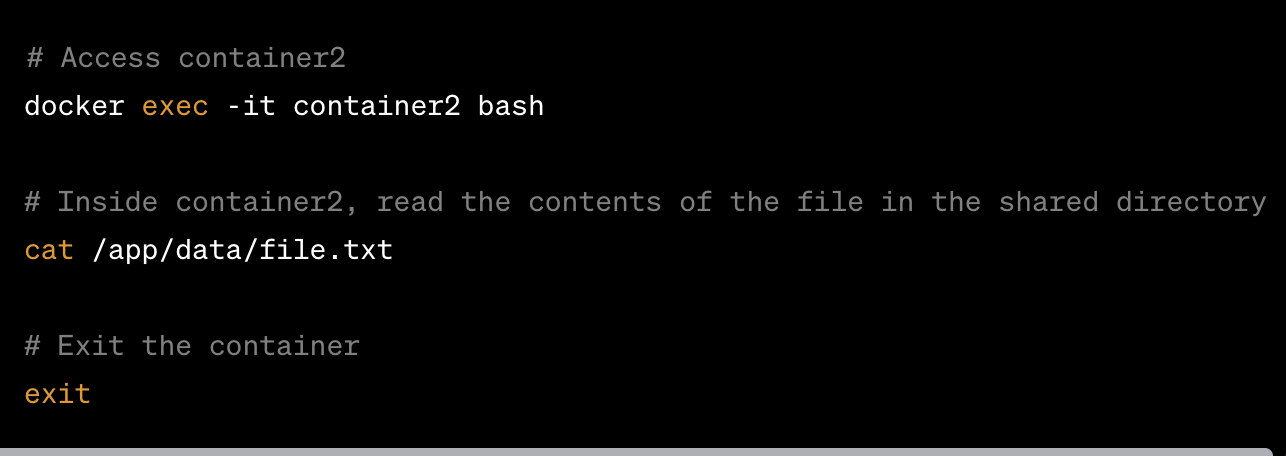
- Verify that the data is the same in all containers by using the docker exec command to run commands inside each container.